:
:
:
Overview
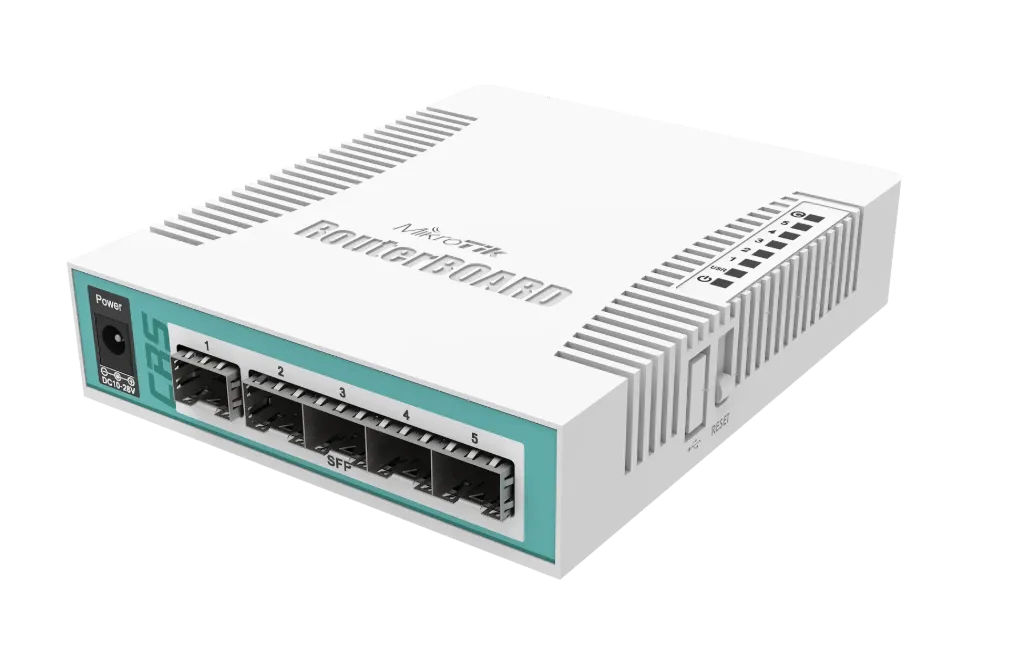
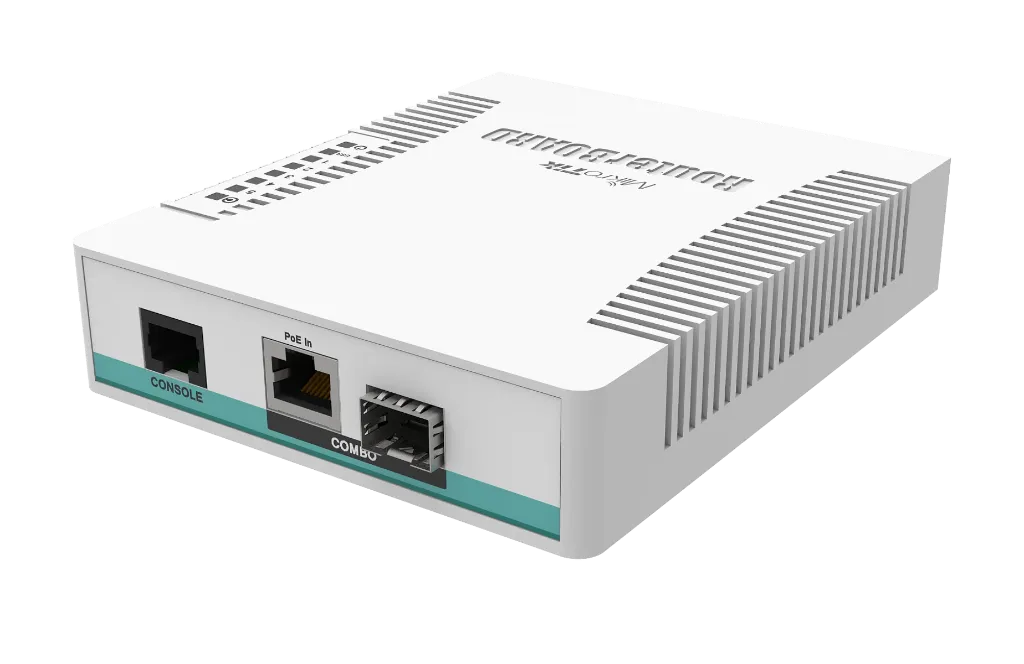
Expand optical fiber connectivity in compact network setups with the MikroTik Cloud Router Switch CRS106-1C-5S. Engineered as an affordable, market-leading optical distribution switch, this desktop device features five 1.25 Gbps SFP cages alongside one Gigabit Ethernet/SFP combo port. Powered by a 400 MHz processor and running full-featured RouterOS Level 5, it provides advanced Layer 2 switching and dynamic Layer 3 routing capabilities for fiber-to-the-home (FTTH), ISP last-mile connections, and high-density optical routing setups.
Key Features
- High Optical Density: Equipped with 5× 1.25 Gbps SFP cages for long-distance optical transceiver modules.
- Versatile Combo Uplink: Features 1× Combo port (Gigabit Ethernet RJ45 / SFP cage) allowing flexible copper or fiber uplink connections.
- Full RouterOS Level 5 Operating System: Pre-installed with RouterOS Level 5, supporting advanced routing, firewall rules, VLANs, and VPN management.
- Flexible Power Inputs: Supports dual power inputs via standard DC power jack or Passive PoE-In (11–30V) on the combo port.
- Energy-Efficient Passive Cooling: Quiet, fanless desktop enclosure ensures silent operation and low power consumption (up to 11W).
- DDMI Hardware Support: Full Direct Digital Diagnostic Monitoring Interface (DDMI) support for monitoring optical parameters across connected SFP transceivers.
Specifications
| Attribute | Specification |
| Model | MikroTik Cloud Router Switch (CRS106-1C-5S) |
| Architecture / Processor | MIPSBE / Qualcomm Atheros QCA8511 (1 Core @ 400 MHz) |
| Memory & Storage | 128 MB RAM, 16 MB Flash Storage |
| SFP Ports | 5× 1.25 Gbps SFP Cages |
| Combo Port | 1× Gigabit Ethernet (10/100/1000 Mbps) / SFP Combo Port |
| Operating System | RouterOS (License Level 5) |
| Power Inputs | 2 DC Inputs (DC Jack & Passive PoE-In: 11–30V) |
| Max Power Consumption | 11 W |
| Cooling Type | Passive (Fanless) |
| Included Accessories | 24V 0.8A Power Adapter |
| Dimensions | 114 × 137 × 29 mm |

To install this Web App in your iPhone/iPad press
 and then Add to Home Screen.
